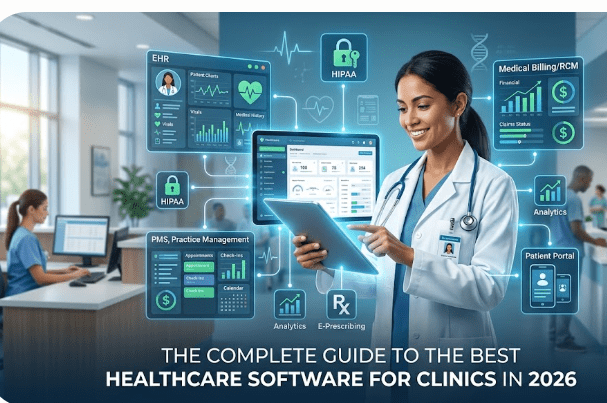
Running a modern medical clinic involves balancing two separate worlds: providing exceptional patient care and managing complex administrative workflows. From scheduling conflicts to messy billing cycles, administrative friction costs time—and ultimately impacts patient satisfaction.
The solution lies in implementing the right digital infrastructure. However, with hundreds of platforms on the market, finding the best healthcare software for clinics can feel overwhelming.
Whether you are launching a new private practice or upgrading a legacy framework, this guide breaks down the essential software types, must-have features, and how to select a platform that scales with your business.
The 3 Pillars of Clinic Software Ecosystems
Most modern medical facilities rely on three core pillars of healthcare technology. While some platforms specialize in just one area, the best software suites integrate all three seamlessly.
1. Electronic Health Records (EHR / EMR)
Your EHR is the clinical heart of your software stack. It digitizes patient histories, chart notes, lab results, and prescriptions.
2. Practice Management Software (PMS)
If the EHR handles the clinical side, the PMS handles the business side. It manages front-desk scheduling, check-ins, automated patient reminders, and demographic data.
3. Medical Billing & Revenue Cycle Management (RCM)
RCM software handles insurance eligibility checks, claims processing, billing code generation ($ICD-10$ and $CPT$), and payment tracking.
Key Practice Management System Benefits
Investing in a premium, cloud-based medical software system isn’t just an expense—it’s an efficiency driver. Clinics that transition to integrated digital workflows typically see immediate improvements across several operational metrics.
-
Drastically Reduced No-Show Rates: Automated SMS and email reminders can reduce missed appointments by up to 30%.
-
Error-Free Claims Submission: Advanced medical billing software includes “claim scrubbing” features that scan for coding errors before submission, drastically minimizing insurance denials.
-
Enhanced Data Accessibility: Cloud deployment means practitioners can securely view patient charts, sign off on refills, or check schedules from a tablet at home or a smartphone on the go.
Must-Have Features to Look For
When evaluating different healthcare software vendors, do not get distracted by flashy user interfaces. Prioritize these non-negotiable operational requirements:
HIPAA Compliance and Ironclad Security
Healthcare data is highly targeted by cybercriminals. Ensure any software vendor you partner with offers robust end-to-end encryption, multi-factor authentication (MFA), comprehensive audit logs, and is fully HIPAA compliant.
Interoperability and API Integrations
Your software should not live on an isolated digital island. It must communicate seamlessly with local pharmacies (e-prescribing), third-party diagnostic labs, and regional health information exchanges (HIEs).
User-Friendly Patient Portals
Modern patients expect consumer-grade digital experiences. Look for software that includes a secure portal where patients can fill out intake forms before arrival, pay balances online, and view lab results safely.
Pro-Tip: Ask software vendors for a sandbox environment or a live demo. Involve your front-desk staff and nurses in the trial period; their daily efficiency will determine whether the software implementation succeeds or fails.
How to Choose the Right Platform for Your Clinic
To select the platform that fits your unique operational needs, follow this straightforward framework:
-
Define Your Specialty Requirements: A pediatric clinic has vastly different charting needs than an orthopedic surgery center. Look for platforms offering pre-built templates customized to your medical specialty.
-
Calculate Total Cost of Ownership (TCO): Look beyond the base monthly subscription. Factor in implementation costs, data migration fees (moving records from your old system), staff training sessions, and ongoing technical support costs.
-
Prioritize Vendor Support: When clinic software goes down, operations halt. Ensure your software contract includes a clear Service Level Agreement (SLA) featuring 24/7 technical assistance.
Conclusion: Take Control of Your Clinic’s Efficiency
The right healthcare software does more than just replace paper charts—it empowers your medical staff, maximizes revenue generation, and gives you back valuable time to focus purely on patient outcomes.
Ready to Upgrade Your Clinic’s Technology?
Our team specializes in designing custom software workflows tailored specifically for modern medical practices. [Contact our healthcare IT experts today] to schedule a free operational workflow audit and find the perfect platform for your practice.